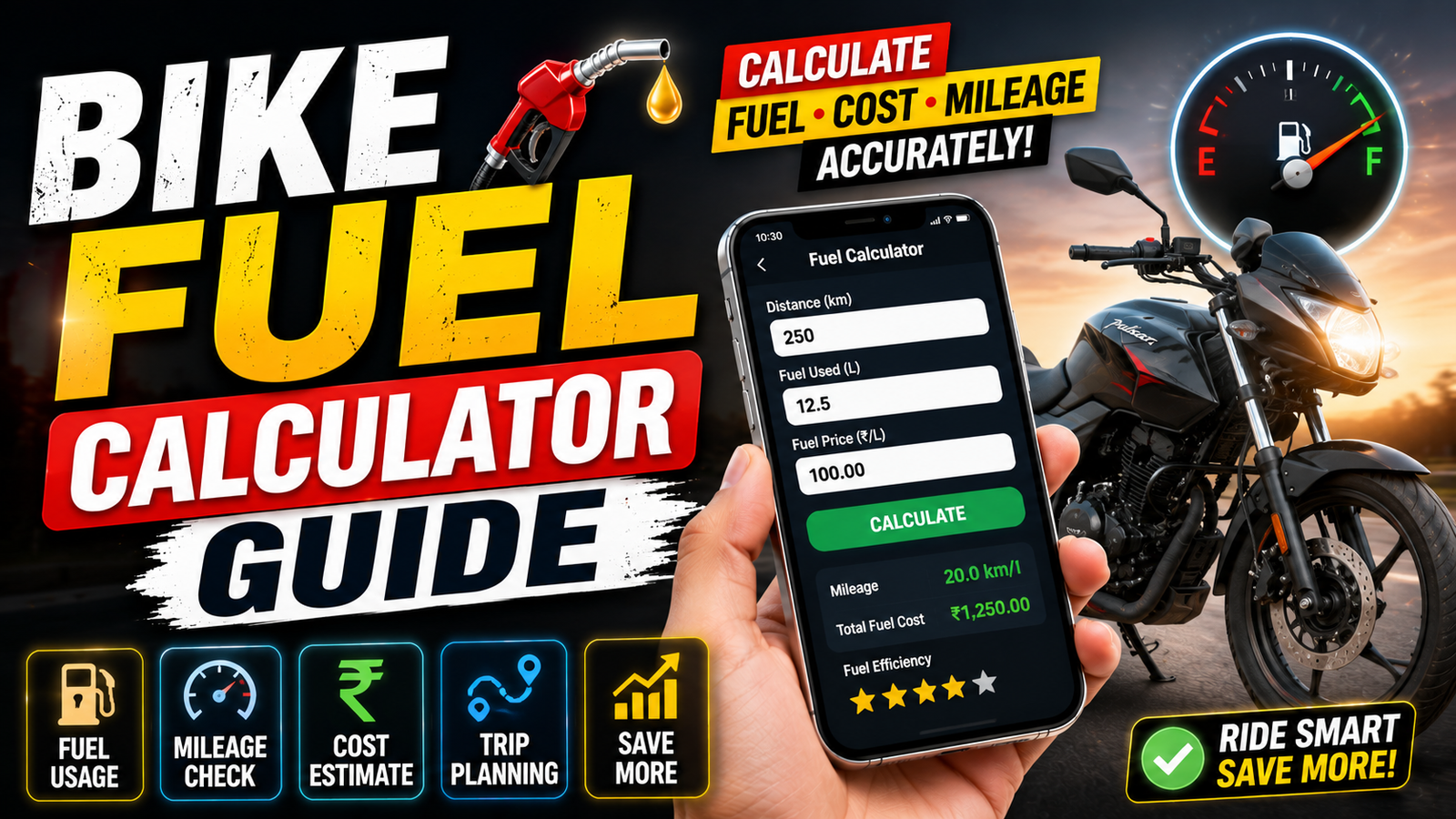
A bike’s real fuel economy is calculated from fuel actually used and distance actually travelled. For the common kilometres-per-litre figure, divide the trip distance by the litres required to refill the tank. One partial refill or an estimated fuel quantity can make the result misleading.
The full-tank method is more dependable: fill to the same level, record the odometer, ride normally, refill at the same point, and use the litres shown on the pump. Repeat this over several fill-ups because traffic, tyre pressure, load, speed, weather, and riding style change the number.
Commuters and delivery riders can also estimate cost per kilometre by dividing the amount paid by the distance travelled. For trip planning, add a reserve instead of assuming that the motorcycle will always match its best recorded mileage.
This guide provides the formulas, a recording checklist, worked examples, comparison with tracking apps, and practical ways to investigate a sudden drop in mileage.
The mileage and trip-cost formulas
A bike fuel calculator is basically a small tool that uses distance and fuel quantity to estimate your mileage or your fuel need. Most calculators use a very simple formula. Mileage equals distance travelled divided by litres consumed. The reverse version is also used. Fuel required equals distance to travel divided by mileage.
Some advanced apps let you store multiple fill ups and then show your average over weeks or months. This is more realistic because daily traffic, riding style, weather, and tyre pressure all change your consumption. A one time calculation after a single ride can be misleading, while ten or more fill ups start to show your true pattern.

Record these inputs at every fill-up
Before any calculator can help, you need three basic numbers that you collect correctly from your bike and from the fuel pump. Without accurate input, even the best tool will give nonsense output.
External Resource
1. Odometer readings
Note your odometer at every tank full. Write down start reading at the moment you fill your tank full and end reading just before the next tank full. Distance travelled equals end reading minus start reading. If your bike has a trip meter, reset it to zero after filling full, then you only need the end number.
External Resource
External calculator: This button opens a third-party calculator hosted on Netlify. You can also perform the same calculation manually with the formulas in this article. Do not enter registration, payment, or other sensitive details into a calculator that only needs distance, fuel quantity, and price.

2. Fuel quantity in litres
Ask the attendant to fill to auto cut or to a clear fixed point in the tank. Record the exact litres shown on the pump slip. Avoid mixing half tank fills and random top ups for mileage checks. The full tank method makes calculations much more stable over time.
3. Type of riding
It helps to tag each fill with city, highway, or mixed. Many riders are surprised when their city mileage is 25 percent lower than claimed figures that are usually measured in ideal conditions. A simple note of your riding type beside the fuel log can help you understand why your calculator shows different values each month.
Full-tank calculation, step by step
You can use any online calculator or a spreadsheet on your phone. The steps remain almost the same, so do not worry if the layout looks slightly different between tools.
- Fill your tank completely and note the odometer or reset your trip meter.
- Ride as usual until your next tank full fill.
- At the next fill, again fill to the same level, note the new odometer reading, and record the litres added from the pump.
- Open your bike fuel calculator and enter distance travelled and fuel used.
- Check the mileage result and save it, then repeat this for every fill.
For example, if your start reading was 20,000 km and the next full tank was at 20,350 km, then you travelled 350 km. If the pump shows 8.7 litres, your mileage is 350 divided by 8.7 which is around 40 km per litre. The calculator simply does this division for you every time.
Worked examples for city and highway riding
Consider a 150 cc commuter bike used mainly inside the city. The owner tracks five tank full fill ups over one month with this method. The calculator shows values around 37, 39, 36, 38, and 40 km per litre. The app then shows an average of about 38 km per litre. This is a realistic city figure even if the company brochure says 45.
Now suppose the same bike goes on a highway trip for a weekend. The rider maintains a steady speed and minimal braking. Three highway fill ups show 44, 46, and 45 km per litre. The monthly report now clearly separates city and highway mileage. The benefit is simple. The rider can now plan distance between fuel stops more confidently and avoid running near empty on remote roads.
As another example, a delivery rider uses a 125 cc scooter for mixed use. After two months of logging, the calculator shows a decline from 42 to 36 km per litre. That is a large drop. This can be an early warning to check tyre pressure, air filter, or brake drag instead of just blaming petrol quality. A basic tool combined with attention can save both fuel and repair costs.
Manual calculation, web calculator, or tracking app
You can either use a one time online bike fuel calculator or a dedicated app that stores your history. Here is a quick comparison to help you choose.
| Option | Best For | Main Advantages | Main Drawbacks |
|---|---|---|---|
| Simple online calculator | Occasional checks | No install, quick result, works on any browser | No history, manual notes needed, easy to forget data |
| Fuel tracking app | Regular commuters and delivery riders | Saves all fill ups, graphs, cost per kilometre view | Needs storage permission, notifications, may show ads |
| Spreadsheet or note app | Riders who like manual control | Fully custom, no extra app, can store for many years | More typing, formulas must be set correctly |
Whatever option you choose, stick to one method for at least a few months. Jumping between tools with different units and formats can cause confusion and errors.
Errors that distort the mileage result
Many riders blame the calculator when the real problem is inconsistent input. Here are mistakes to watch out for whenever you log fuel data.
- Not filling to the same level, either full tank sometimes and random small top ups other times.
- Forgetting to note the odometer exactly at fill time and later guessing the reading.
- Mixing up units like recording miles in one entry and kilometres in another.
- Ignoring heavy pillion load or luggage which affects mileage noticeably.
- Relying on fuel gauge levels instead of exact litres from the pump.
Take an extra minute at the station to type accurate numbers into your phone. That one small habit is more valuable than the design of any calculator interface.
Turn the log into lower running costs
Collecting data is good but the real benefit comes when you take action from it. Once you know your average kilometres per litre, you can estimate monthly fuel cost and adjust your usage or budget more confidently.
For example, if your daily commute is 30 km and your average mileage is 35 km per litre, then you use about 0.85 litre per day. Multiply by 26 working days and your monthly usage is roughly 22 litres. With current petrol price, you immediately see whether ride sharing, public transport, or even a serviced bike could reduce your bill.
You can also use the calculator in reverse. Enter your known mileage and planned trip distance to see how many litres you should buy before leaving. Add a safety margin of at least 10 to 15 percent, especially in hilly areas or when you expect traffic jams or off road conditions.
Your repeatable fill-up checklist
A bike fuel calculator is a simple tool, but in regular use it becomes a clear mirror of your riding habits and your bike health. The mathematics is basic, yet the insight can be powerful if your input is disciplined and consistent. Treat every fill up as a data point, not just a stop on the way home.
If you start today with the full tank method, note every litre, and record your odometer each time, you will usually see a pattern within one or two months. Use that pattern to plan trips, schedule service at the right time, and spot sudden drops in mileage early. Combined with safe riding and timely maintenance, this small habit can quietly save you a meaningful amount of money every year.
Common bike-mileage questions
How accurate is a bike fuel calculator
The tool itself is usually very accurate, the main errors come from wrong odometer readings, partial fills, or mixing up units. With careful data, your average mileage estimate can be very close to reality.
How many fill ups do I need for a reliable mileage
One or two fill ups give only a rough idea. For a stable number, try to record at least five to ten full tank cycles, preferably in similar riding conditions.
Can I use the calculator for scooters and electric bikes
Yes for petrol scooters, the method is the same. For electric bikes you track energy per kilometre instead of litres, so you need a different style of calculator based on battery capacity and watt hours.
Why is my real mileage lower than the company claim
Company figures are usually measured in controlled conditions with light load and steady speed. Real traffic, frequent braking, heavy pillion, and poor maintenance all reduce mileage compared with those test values.
Is it safe to use fuel tracking apps
Most popular apps are safe if downloaded from official stores. Check permissions, avoid apps that ask for unnecessary access, and always read recent user reviews before installing.
Thank you for reading this guide. If you found it useful, stay connected with our blog for more practical tech tips, app suggestions, AI tools, and the latest updates for smarter everyday riding.