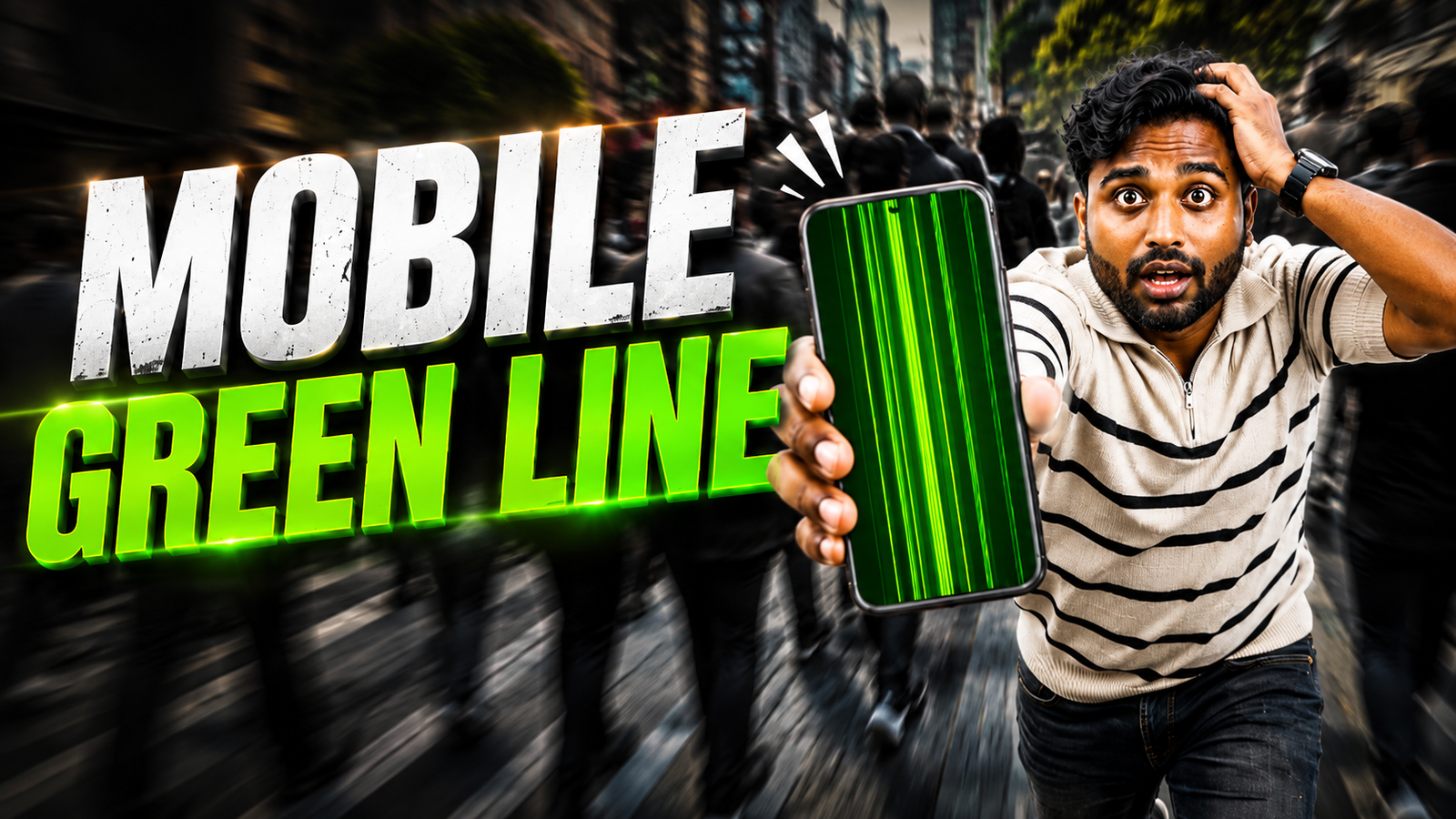
A bright green vertical line on a phone can look like an expensive display failure. Some screen effect apps imitate that damage by placing a temporary line or broken-screen effect over an otherwise working display, which is why the result can seem convincing at first glance.
This guide explains how the effect works, how to recognise an overlay, and how to close it without changing important phone settings. It also covers the difference between a screen effect and a genuine OLED display problem, so you do not mistake real hardware damage for an app effect.
The screen effect is most suitable for a brief joke between people who know each other well. Avoid using it on someone who may panic, arrange an unnecessary repair, or believe important data has been lost. A harmless result depends more on the situation than on the app itself.
Before opening the app, check that the Play Store listing and developer information match the link provided below. After trying the effect, close the app and restart the phone if the overlay remains. If a green line is still visible during startup, the display may need proper diagnosis.
What Is The Mobile Green Line screen effect In 2026
The screen effect copies a genuine problem that some OLED phones have, where a thin bright green stripe appears from top to bottom. Brands like Samsung, OnePlus, and others have had users report real green line issues after updates or drops. screen effect apps and wallpapers simply draw a similar line so the screen looks broken even though the panel is still fine.
Because real green line failures can cost serious money to fix, this screen effect can hit a nerve. That is why it must only be used with people who can take a joke and only for a short time. The aim is a quick laugh, not hours of stress while someone thinks their new phone is dead.
How People Create A Fake Green Line On Mobile
In 2026 the screen effect usually appears in three ways, a dedicated screen effect app that overlays a green bar, a custom wallpaper or screenshot with a line added, or special system overlay tools on Android that can draw on top of other apps. The easiest and safest approach is the wallpaper or screenshot method.
Example, Simple Wallpaper screen effect
One common example is to capture a screenshot of the victim home screen, edit a narrow vertical green bar onto it using any photo editor, then set that edited image as the wallpaper. As soon as they unlock the phone, they see the green line and assume the display has failed, but once an app covers the wallpaper the line disappears.
Example, Basic screen effect App
Some screen effect apps available in 2026 simulate temporary display lines and visual screen effects. These usually ask for permission to draw over other apps. When enabled, the app places a static or slightly flickering green bar on one side of the screen. You can usually toggle it through a quick settings tile or notification so you can turn it off before the person panics.
Safe Steps To Set Up A Green Line screen effect
Here is a responsible way to try the mobile green line screen effect 2026 trend using only a wallpaper method. This avoids extra permissions and background processes and is easy to undo.
- On your friend phone, open the home screen and take a clean screenshot.
- Send that screenshot to your own phone or to a PC so you can edit it.
- Use a photo editor app to draw a thin vertical green bar, for example 4 to 8 pixels wide, from top to bottom on one side of the image.
- Send the edited image back to the original phone and save it.
- Set it as the home screen wallpaper and, if you want to push the joke, also the lock screen wallpaper.
- Adjust the wallpaper position so the green line sits exactly on the screen border where actual hardware issues often appear.
When your friend opens the lock screen or goes to home, they see the line. As soon as they open any app that uses a different background, the line is gone, which makes it easier for them to realize it was only a picture.
Official App Listing
Comparison, Wallpaper screen effect Vs Overlay Apps
If you still want to use an overlay app instead of only a wallpaper, it is useful to compare the two methods first. Here is a quick overview that you can skim on mobile.
| Method | How It Works | Pros | Cons | Best For |
|---|---|---|---|---|
| Wallpaper or screenshot edit | Add green bar to background image only | No extra app, easy to remove, no special permissions | Line disappears in full screen apps, short screen effect window | Quick harmless joke with friends or family |
| screen effect overlay app | App draws line on top of other apps | More realistic, appears on most screens | Needs draw over permission, possible performance or ad issues | More dramatic effect with someone who understands tech |
| System overlay tools | Developer or accessibility tools create custom line | Fine control of position and color | More complex, can confuse system gestures, not worth it for most users | Tech creators recording screen effect videos or tutorials |
Case Study Style Scenario, When A screen effect Goes Too Far
Imagine a college friend group in 2026 where one person just bought an expensive flagship phone that has had past reports of real green line defects after software updates. Two friends install a screen effect overlay app and wait. The owner sees the line, remembers the news posts about that exact issue, and instantly believes the display is gone.
They rush to the service center, lose half a day in queues, and finally a technician points out that the line disappears in safe mode and is only a third party overlay. What was supposed to be a fifteen second laugh becomes a wasted afternoon and a very annoyed friend. This kind of story is why screen effect timing and clear limits matter.
How To Check If A Green Line Is Real Or Only A screen effect
If you suddenly notice a strange green bar on your phone in 2026 and you are not sure if someone pranked you, try these quick tests before you panic.
- Take a screenshot and view it on another device. If the line appears in the screenshot, it is likely an image or wallpaper, not hardware.
- Boot the phone into safe mode. On many Android phones, hold the power button, then long press on the restart option. In safe mode, most third party overlays are disabled. If the line disappears, it was software.
- Change to a solid color wallpaper using default settings. If the line was part of the previous wallpaper, it will go away.
- Use a display test app from a trusted store that shows full screen red, green, blue, white, and black. A real hardware line will remain on all test screens.
If the line stays no matter what you do and is visible even on the boot logo, that suggests a genuine display fault. At that point back up your data and contact official support instead of trying to fix it with random apps.
Risks And Ethics Around The Mobile Green Line screen effect 2026
Although the mobile green line screen effect 2026 trend looks harmless, there are a few real risks. Some screen effect apps are packed with intrusive ads or misleading permissions, especially from unknown websites. Installing from unofficial sources increases the chance of malware or data collection that is not worth any joke.
The button below opens the official app listing on Google Play. Review the listing, permissions, compatibility, and recent user feedback before installing it.
There is also an ethical side. Screen damage is expensive. For some users a display replacement can equal a month of salary. Pretending that their only phone is broken may not be funny for them at all. Use this screen effect only with close friends who you know can handle it and keep the reveal very short, ideally under a minute.
Conclusion
The mobile green line screen effect 2026 idea is simple, imitate a serious hardware fault with a fake software line. When you use a wallpaper screenshot trick or a light overlay app with proper permissions, you can create a convincing effect and then remove it instantly. That way you control the situation instead of creating a long lasting problem.
The safest path is to avoid unknown screen effect apps, stay with basic image edits, and always reveal the joke quickly. If you ever see a green bar that survives screenshots, safe mode, and display tests, treat it as a real issue and contact service support. Fun and tech can mix, as long as you keep both your friendships and your phone screens safe.
FAQ
Is the mobile green line screen effect 2026 safe for my phone
If you only use a wallpaper or screenshot edit, it is generally safe because you are not changing system files. Problems arise with shady apps from untrusted sources that request extra permissions or run heavy overlays. Always uninstall any app that slows your phone or shows strange pop ups.
Can this screen effect cause permanent green line damage
No software screen effect can directly burn a vertical line into your display in normal use. Real green line damage usually comes from hardware faults, drops, or rare panel defects. However, installing low quality apps can cause other issues like battery drain or privacy risks, so be careful where you download from.
How do I remove a fake green line from my screen
First try changing your wallpaper to a default system one. If the line is still there, check the list of installed apps and remove any screen effect or screen effect apps you do not recognize. Restart the phone. If nothing helps, boot into safe mode to see if a background overlay app is responsible.
What if my green line is visible even in safe mode
If the line remains on the boot logo, in recovery, and in safe mode, that usually points to a real display issue instead of a screen effect. Back up your data, take clear photos of the problem, and contact official service. In some regions brands have support policies for panel defects, so ask about that.
Are there iPhone versions of green line screen effect apps
On iOS, strict system rules limit full screen overlays. Most green line jokes there rely on edited wallpapers or web pages that display a fake bar. The same caution applies, keep the screen effect short and do not force someone to believe their device is ruined.
Thank you for reading this guide. If you enjoy practical tech tips and honest looks at trends like the mobile green line screen effect, follow our blog for more updates on useful apps, AI tools, mobile settings, and the latest tech news.