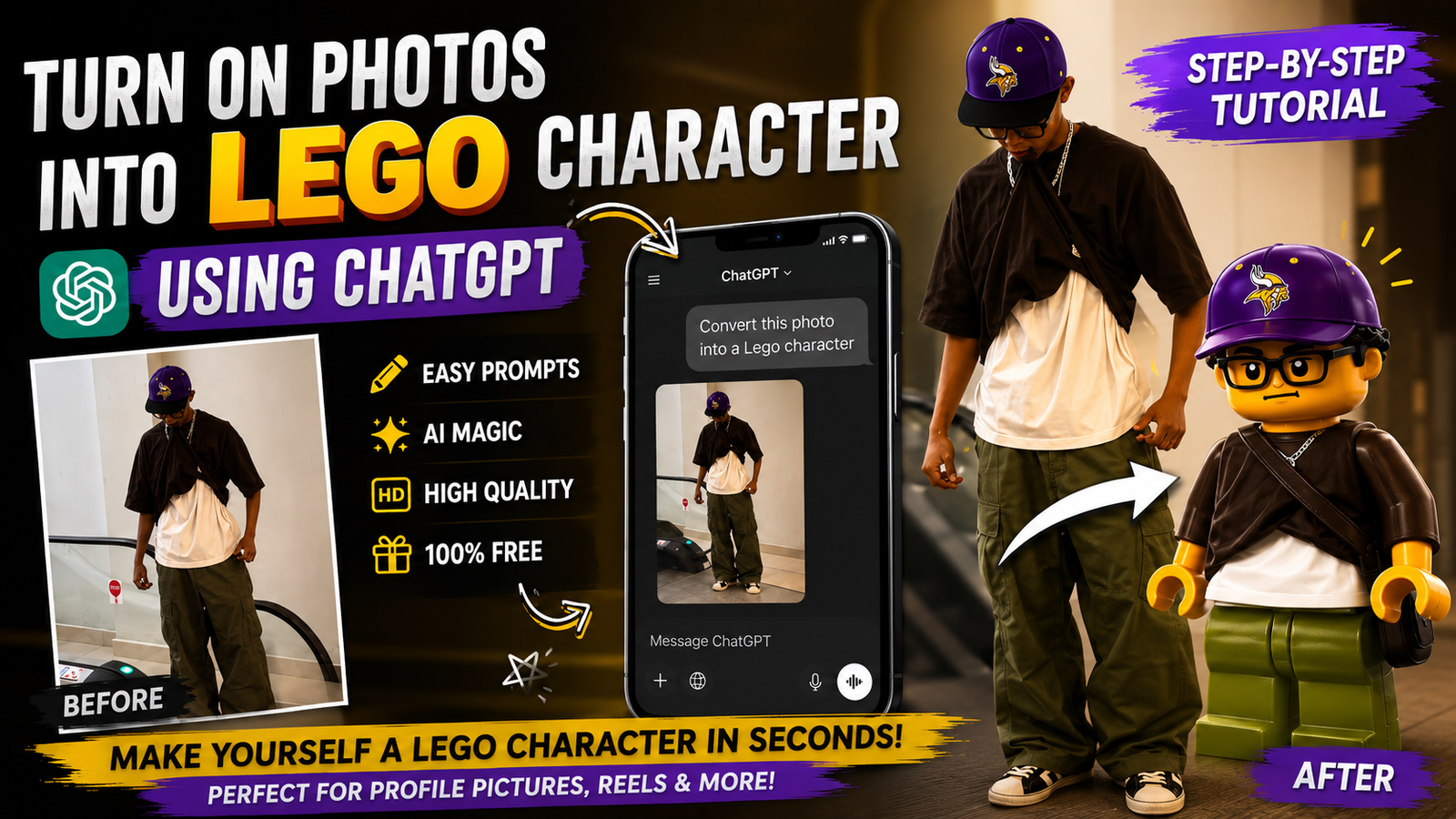
A brick-figure portrait is usually created by describing the visual style to an image generator or by applying a character template to a clear photograph. The strongest results keep recognisable features such as hairstyle, glasses, clothing colours, and expression without attempting to reproduce every detail of the original face.
The source photo should be well lit, reasonably sharp, and free from heavy beauty filters. A simple background and visible shoulders make it easier for a generator to separate the person from the scene. Group photos, covered faces, and extreme camera angles often produce inconsistent character parts.
Most tools used for this effect are general AI image services, not official LEGO products. Results should therefore be described as brick-figure or toy-brick inspired artwork. Review the service’s upload, retention, and commercial-use terms before submitting a personal portrait or printing the result.
This guide explains photo preparation, prompt structure, generation, correction, export, privacy, and common errors. Generate more than one variation, inspect hands and facial details carefully, and keep the original photo outside the public prompt or shared document.
The existing button opens a shared Google document containing a prompt or related instructions. Confirm that the document owner and contents match the creator’s demonstration before copying anything, and never enter account credentials or private information into a prompt.
Choose a suitable source photo
The starting photo makes or breaks the final result. AI tools struggle when the face is tiny, covered by hair, or heavily filtered. Choose a simple portrait where your face is straight or slightly turned, eyes visible, and lighting is even. Indoor natural light near a window usually works better than a dark room or strong backlight.
If you want a full Lego style body, pick a photo where your torso is visible and there is some space around you. Busy backgrounds are fine because most tools can focus on you, but they sometimes confuse clothing and accessories, so a simpler background tends to give cleaner results.
Choose an image tool and review its terms
There is no single official Lego avatar converter, but several AI tools can generate a very similar blocky and yellow look. Here are popular categories and how they compare.
Official App Listing
| Tool Type | Example Services | Cost | Main Pros | Main Cons |
|---|---|---|---|---|
| Photo to cartoon apps | Voila AI Artist, ToonMe style apps | Free with ads, paid upgrades | Very easy, one tap filters, phone friendly | Results may not look very Lego specific, heavy ads |
| AI art web generators | Midjourney style bots, Stable Diffusion sites | Free trials, then subscription or credits | More control with prompts, better detail | Setup can be confusing, learning curve |
| Avatar maker sites | Generic avatar or mini figure creators | Often free or low one time fee | Simple editor, quick export | Usually does not accept real photos, manual recreation only |
For most readers, a mobile photo to cartoon app plus a basic AI art website covers both speed and control. If you like Discord, an advanced AI art bot with good prompts can produce very detailed Lego style figures, but it takes more tweaking.
Mobile workflow for a quick result
A practical first try is a face cartoon app from the Play Store or App Store. Look for a filter described as block, brick, mini figure, or toy style. Install only from official stores, and read recent reviews because these apps change quickly and some get spammy with ads.
Typical workflow looks like this: open the app, choose Photo from Gallery, select your selfie, then pick a Lego like filter. Many apps let you adjust intensity or background. Save at the highest resolution offered and skip any auto posting feature to avoid sharing by mistake.
Prompt-based workflow with more control
If the app look is too generic, an AI art site that supports image upload and text prompts can give you more control. On these platforms, you upload your portrait, then describe the style you want. For example, you might ask for a yellow plastic mini figure version of the person, with a simple colored background and blocky hair.
Start with default settings and a square aspect ratio, because many Lego style avatars are square. If the first result looks nothing like you, lower the creativity setting or increase the image strength value so the AI respects your original facial features more closely.
Example prompt structure for a gaming avatar
Imagine you run a small gaming channel and want a coherent Lego style avatar for YouTube, Discord, and Twitch. You begin with a clean portrait wearing headphones. You run it through a mobile app to test the idea, but the result feels more like a random cartoon than a mini figure.
You then switch to an AI art site, upload the same photo, and write a short description of a Lego style gamer with headphones, dark hoodie and blue background. After two or three generations and minor prompt tweaks for color, you end up with an avatar that clearly resembles your face, plus the classic yellow skin and brick like hair. You export several sizes and reuse it across your profiles.
Visual errors to check before exporting
People often expect the tool to turn group photos into clean Lego figures. In reality, most services handle one or two faces well and get confused with more. Crop tight around one person if you want a reliable avatar. For family Lego posters, process each person separately, then combine the images later in a collage app.
Another frequent mistake is uploading low resolution screenshots from social media. These already lost quality from compression, so the AI struggles and creates blurry or distorted faces. Whenever possible, use the original camera photo or at least a high resolution export.
Portrait privacy and prompt safety
Any time you upload a face photo to a third party service, you should read the privacy section or at least skim how they store data. Some tools keep images for a limited time to improve models, others delete them quickly. If the terms are unclear, avoid uploading very sensitive or identifiable backgrounds like your home interior.
Be especially cautious with kids. Many parents like the idea of Lego style portraits for children, but not every AI art service is designed for minors. When possible, use tools that run locally on your device or at least services that clearly state how they treat child images and offer deletion options.
Preparing a character image for a personal gift
A realistic use case is a birthday poster for a friend who loves bricks and collectibles. You start with a high quality portrait they already shared publicly, then use an AI generator to create a Lego inspired version with party elements like balloons and confetti. You keep the resolution high so it can be printed without looking fuzzy.
You might need two passes. One to get the face and body right, and another to add background details. You then use a basic editor to combine the best parts. The final print will not be an official product and should not be sold as branded merchandise, but as a one off personal gift it works very well and looks unique.
A repeatable brick-character workflow
If you want to turn a photo into a Lego character, you do not need expensive software. A clear selfie, a reliable cartoon app, and optionally an AI art website are usually enough. Apps are fastest for casual users, while web generators offer more control and more accurate resemblance when you spend a little time adjusting prompts.
Focus on a good source photo, test two or three tools rather than sticking to the first result, and pay attention to privacy policies before uploading lots of images. With those basics in place, you can create Lego style avatars for social media, gaming, or personal gifts that look playful and still recognizably you.
Common questions about brick-style portraits
Is there an official Lego app that converts photos into mini figures
There is no widely available official app that turns real photos into accurate mini figures automatically. Most Lego style converters you see online are independent or general AI art tools.
Can I print my Lego style photo on merchandise
For a one off personal gift like a poster or mug for a friend, most people do it without issues. For commercial use, you should speak with a legal professional because brand and style rights can be complex.
Do these tools work on older phones
Many mobile apps support older Android and iOS versions but may run slower and export lower quality images. Check app size, recent reviews, and try to keep at least some free storage for processing.
How can I make the Lego avatar look more like me
Use a clear portrait, reduce creativity or style strength in AI settings, and try short prompts that mention your hair type, glasses, or facial hair so the model knows what details to keep.
Are free Lego style converters safe to use
Safety varies. Use tools from trusted stores or known websites, avoid apps with very aggressive ads or unclear ownership, and avoid uploading sensitive photos you would not share elsewhere.
Thank you for reading this guide. If you found it helpful, keep an eye on our blog for more practical tips on the latest tech news, useful apps, AI tools, and creative digital projects.