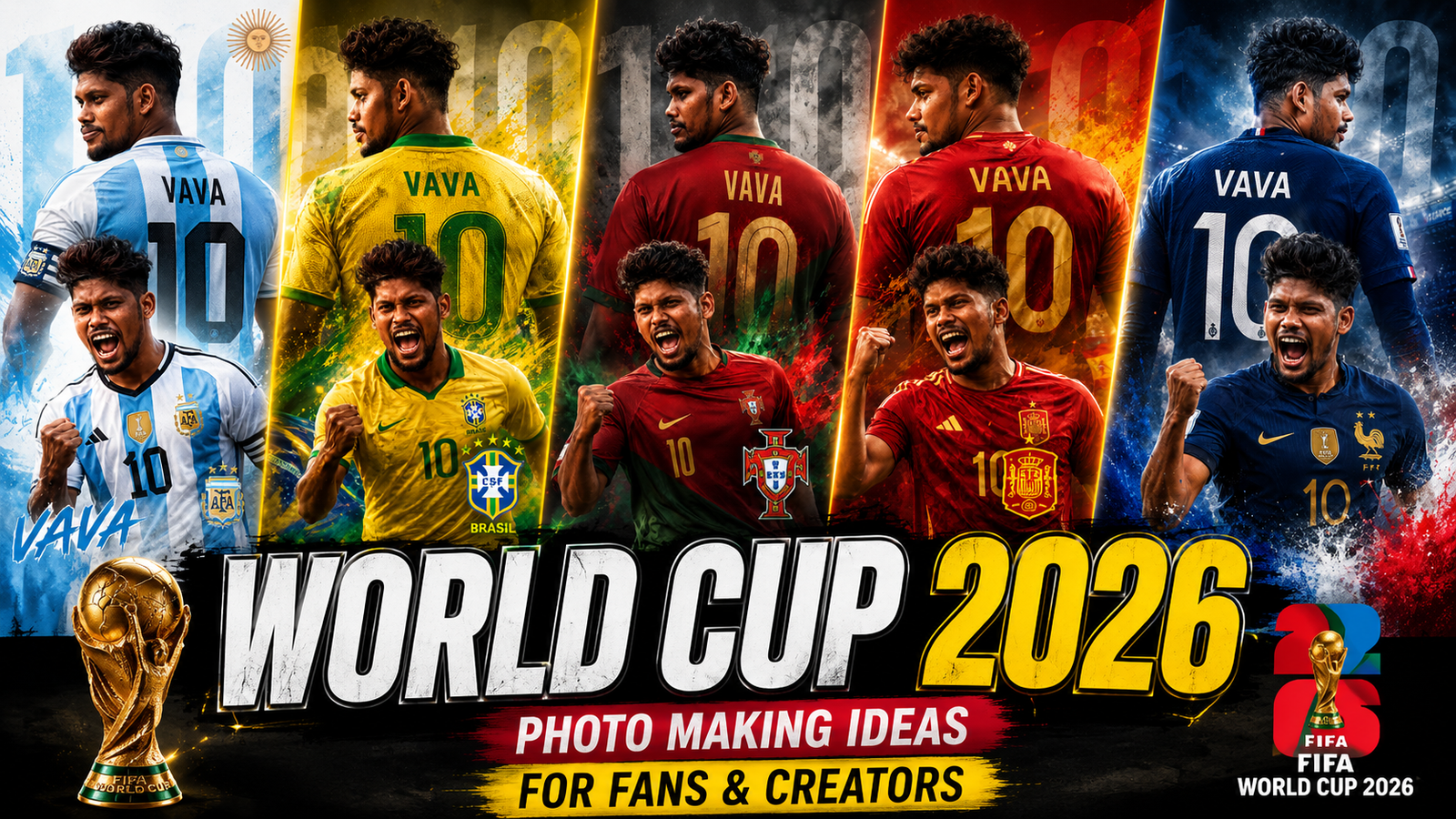
A useful World Cup 2026 photo plan separates personal fan memories from commercial or sponsored content. The tournament is scheduled across Canada, Mexico, and the United States, but match, venue, ticket, security, photography, bag, and commercial-use rules should be confirmed from current official sources before travel or publication.
Create a short shot list for before, during, and after the match or watch party. For each image, decide the subject, location, permission, light, crop, and destination platform; then capture wide context, medium interaction, and close detail rather than relying on digital zoom.
Official tournament names, logos, mascots, team crests, broadcast footage, sponsor marks, tickets, and merchandise may be protected. Personal fan use and a business advertisement are not the same. Do not imply official partnership, sell unlicensed designs, or use AI to fabricate a real player, result, credential, or stadium event.
Get consent before posting identifiable people, take extra care with children and location data, respect venue and public-space instructions, and use licensed music, fonts, photos, and templates in monetised creator or business work.
Related Resource
Third-party Drive folder: The DOWNLOAD LINK button opens a shared Google Drive folder. Check the owner, file types, access request, licences, and malware warnings before downloading. The folder is not identified here as an official FIFA or tournament resource.
1. Plan a beginning, match moment, and ending
Instead of random snaps, think in terms of a simple story. A useful structure is before the match, during the match, and after the match. Even if you only watch at home, this mini script keeps you from missing key moments.
Make a short shot list in your notes app. For example, jersey flat lay, friends arriving, first goal reaction, penalty tension close up, final whistle and post match street scene. When the game goes crazy you already know what to capture.
2. Adaptable fan-photo setups
Home or permitted watch-party photos
- Flat lay of jersey, scarf, ticket printout and remote on a table that uses your team colors.
- Reaction series: one normal face before kick off, then three reaction shots during big moments. Later you can combine them into a collage.
- Snack and drink top view with small flags or painted plates. Use a contrasting tablecloth so colors pop.
- Kids or pets in team themed outfits, but keep faces natural and avoid forced posing that looks staged.
Public viewing and stadium-rule checks
- Wide crowd shot taken from behind people so the screen and flags are visible.
- Back of jersey with player name plus stadium in soft focus behind. Simple but very shareable.
- Flag wave in slow shutter mode if your camera allows it, which can give a light motion effect.
- Street scenes after the match, like parades or car horns. Focus on emotion and color rather than license plates or private details.
3. Use safe props without implying sponsorship
World Cup 2026 is hosted across the United States, Canada and Mexico, so you can mix national flags with local symbols. A small flag, city landmark or metro sign already gives context without extra text.
Cheap props often look better than over designed sets. Face paint, paper flags, colored confetti, reusable plastic horns and even colored LED bulbs in your living room can change the atmosphere of your photos with very low cost.
4. Edit transparently and label generated imagery
You do not need heavy filters. Focus on three things: straight horizon, correct skin tones and readable colors of jerseys and flags. Slight contrast and a gentle vignette make people stand out without looking over processed.
AI tools are useful if you keep them honest. For example, you can generate a stylized poster version of your own group photo, or turn a crowd shot into a comic style banner. Avoid fabricating fake stadium moments or players, since that can confuse readers and may violate platform rules if not clearly labeled as an illustration.
Compare camera, editor, layout, and AI roles
| Tool type | Good for | Main pros | Watch out for |
|---|---|---|---|
| Built in phone editor | Quick fixes and social posts | Fast, free, no extra account needed | Limited text and layout options |
| Mobile photo editor app | Filters, collages, story covers | More control over color and sharpness | Some filters reduce team colors accuracy |
| AI image generator | Posters, thumbnails, abstract backgrounds | Creative results with little effort | Licensing, realism and mislabeling risks |
| Desktop editor | Prints, banners and brand work | Precise layout and export control | Longer learning curve and setup time |
5. Two permission-aware publishing workflows
Example 1: a consent-based watch-party story
Plan six to eight frames max. Start with a shot of the TV and snacks, then a boomerang style clip of friends cheering. Add a halftime frame with score overlay and a close up of someone nervous at minute 80. End with final score, quick group selfie and a sunset or city night shot. Consistent colors and simple fonts make the whole story feel like one piece.
Example 2: a cafe checks commercial rights first
Imagine a small cafe showing games on a projector. They prepare one key photo set: outside view with a World Cup poster on the door, barista in a neutral jersey pouring coffee, crowd view from behind with the screen in frame and a close up of limited edition drinks in the team colors. With this set they can promote each match day across social posts and simple ads without reshooting every time.
6. Light, crop, colour, and readable backgrounds
Use the grid in your camera app to keep horizons straight and follow the rule of thirds. Place the main subject off center and leave space where they are looking or where the action goes. This small habit alone makes crowd and street scenes feel more dynamic.
On busy match days, backgrounds get messy. Step two or three meters to one side and look for cleaner areas like a wall, sky, or blurred lights behind your subject. You will reduce distractions and also avoid catching strangers in sharp focus.
7. Venue, privacy, trademark, and licensing checks
For AdSense and brand work, avoid violent scenes, heavy drinking focus or close ups of people who obviously do not want to be photographed. Children need special care, so you can shoot from behind, crop to jerseys only or ask parents directly before you share public posts.
When you store images, keep backups on a trusted cloud account or external drive. Stadium and city networks are often overloaded or insecure during events, so avoid quick uploads through random public Wi Fi without a basic security check on your device.
Plan the shot and verify the rights
With a short plan, a few props and basic editing, your World Cup 2026 gallery can feel intentional instead of random. Think in stories, not single shots, and decide in advance which moments matter most to you, whether that is goals, friendships or local city atmosphere.
If you also care about monetization or brand safety, stay honest with AI use, protect people’s privacy and avoid over aggressive or misleading visuals. Start testing your shot ideas during qualifiers or friendlies, refine what works and by the time the tournament kicks off you will already have a smooth match day photo routine.
Common questions about World Cup fan photos
How can I take good World Cup photos with only a phone?
Clean your lens, use the grid, tap to focus and keep your hands steady. Take wide crowd shots instead of heavy zoom, then crop later for better quality.
Which AI tools are safe for fan made World Cup posters?
Use reputable platforms that clearly list usage rights. Generate stylized art or abstract scenes and avoid copying real player faces or trademarked logos too closely.
What is the best time to shoot outside fan photos?
One hour after sunrise or one hour before sunset gives softer light and better skin tones. During harsh midday light look for shade or indoor locations.
How do I keep my photos AdSense friendly?
Avoid explicit content, hate symbols, real violence and deceptive images. Show positive fan energy, families, flags and city scenes rather than risky behavior.
Can I print my World Cup photos for sale?
You can usually sell prints of your own images, but be careful with recognizable brands, broadcast screens and player likenesses. Check local laws or get legal advice for large scale sales.
Thank you for reading this guide on World Cup 2026 photo making ideas. If you found it useful, stay connected with this blog for more latest tech news, helpful apps, AI tools and simple workflows that make your fan content better.