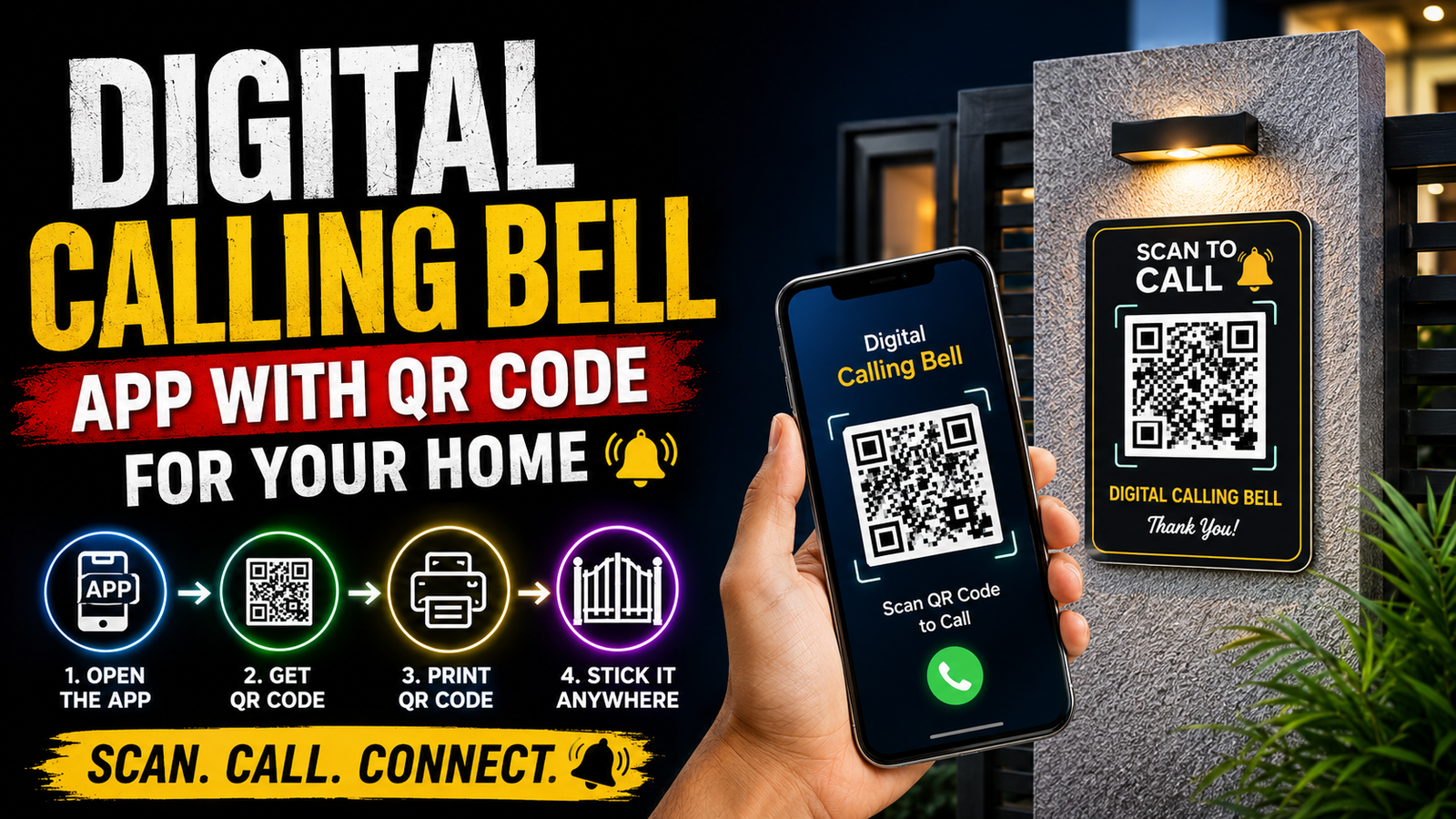
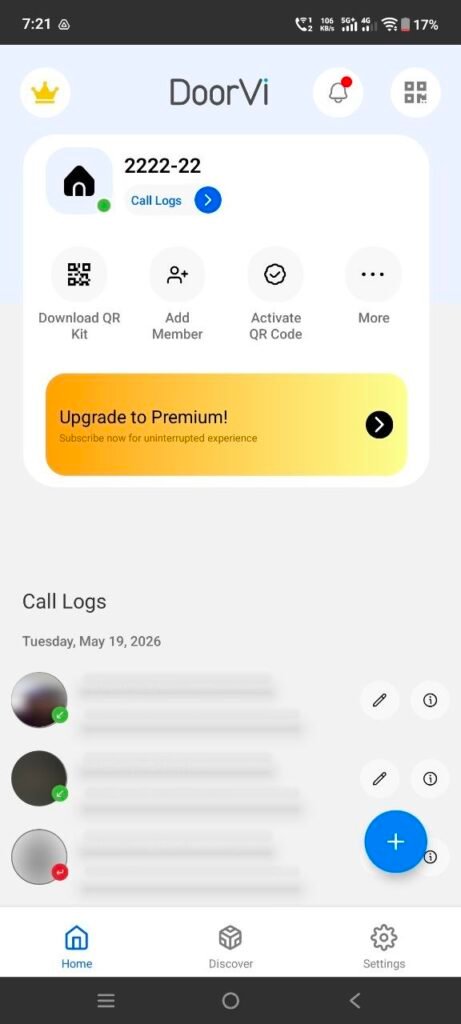
The linked Google Play package is DoorVi. A QR-based door contact service can give visitors a web or app route to notify a resident, but its exact calling, account, visitor-install, subscription, and privacy behaviour must be confirmed on the current listing and inside the service.
A printed entrance code is public: it can be photographed, copied, shared, or scanned later. Before displaying it, test whether the service reveals a phone number, name, profile photo, address, occupancy, call history, or online status, and learn how to revoke and regenerate the code.
This is not a complete replacement for a physical bell, intercom, emergency contact, accessible entrance, or building-security system. It depends on the visitor’s camera and internet, the resident’s phone, notification permissions, battery, network, and the provider’s availability.
Get the property owner or association’s permission before placing signage, provide a non-smartphone alternative, avoid publishing a unit occupant’s personal number, and remove the code when moving out or ending the service.
Related Resource
Linked app: The DOWNLOAD NOW button opens the DoorVi package on Google Play. Verify the developer, update date, data safety, permissions, ads, purchases, account deletion, number visibility, visitor requirements, and device compatibility before setup.
What a public QR door-contact flow depends on
The idea is simple. The app creates a unique QR code linked to your account. When someone scans it, the app sends a call or notification to your phone. You then pick up the call and talk, or at least see that somebody is at your gate.
There is no physical bell button. The visitor only needs a smartphone with a camera and internet, something most people already carry. The QR code acts like a virtual doorbell button that never rusts or breaks.
Set up, test, revoke, and provide a fallback
1. Verify the exact app and provider
Search the Play Store or App Store for a digital calling bell app or QR doorbell style app. Check:
- Recent update date, old abandoned apps can stop working any time
- Ratings and reviews, especially comments about reliability
- Permissions, avoid apps asking for unnecessary access such as contacts backup or storage access for no reason
2. Minimise identity and contact exposure
Most apps will ask for phone number verification or simple email registration. Use your main number, as this is where you want to receive calls. Set a strong password if the app supports login with credentials.
3. Generate a revocable code and clear instructions
Inside the app you usually see an option like My QR code or Door QR. Tap it and the app will show your unique code. Save it as an image or use the built in print option if available. Print it on normal A4 paper for testing. Later you can laminate it or print on a small board for permanent use.
4. Place it with permission and no occupancy clues
Paste the print near your gate, door or at a visible spot where a visitor naturally stands. Add a small text below it such as Scan this code to call bell or Scan to ring. If the QR code is too small, increase the print size so even older visitors can scan easily.
5. Test visitor, silent, offline, and blocked scenarios
Take another phone, open its camera or any QR scanner app, and scan the code. You should receive a call or alert on your main phone within seconds. Test with mobile data and Wi Fi off, so you know the app works with your regular connection situation.
Appropriate and inappropriate use cases
Example 1: Rented flat with no wiring
Imagine a student living on the second floor in a rented flat. The owner never installed a bell, and the gate is far from the main room. Courier staff often leave because no one hears them. With a digital calling bell app, the student pastes the QR code on the main gate. When the delivery person arrives, they scan the code and a call goes to the student’s phone instantly, even if the student is in the kitchen or on the terrace.
Example 2: Small office reception
A small design studio has only three team members and no dedicated reception counter. Visitors wait outside if they come during lunch. The team prints the QR code and places it near the glass door with a note, Scan to call office. Whoever is free picks the call, confirms the visitor and opens the door. No separate intercom box or receptionist is needed.
Example: roommates define recipients and a removal plan
Consider a group of four friends sharing a flat. Only one of them is ready to put their phone number on a traditional bell. With a digital calling bell app, they create one QR code attached to a common account and enable ring to multiple phones if the app supports it. When a visitor scans, all four phones receive a call or push alert at the same time.
This setup means if one person is bathing, another might pick up the call. The friends agree on simple rules, whoever answers should inform the others and handle the guest. The only issue is notification load, so they set quiet hours if needed inside the app. This is more flexible than a single physical bell connected to one room only.
Benefits, dependencies, and public-code risk
Before you fully switch to a QR code bell, it helps to see clear advantages and drawbacks.
| Aspect | Benefits | Limitations |
|---|---|---|
| Hardware cost | No separate bell unit, uses your existing phone and a print | Requires a working smartphone and reliable internet |
| Installation | No wiring, no drilling, just stick a QR at the entrance | Visitors must notice and understand how to use it |
| Mobility | Works even if you are in balcony or terrace as long as you have network | No use if your phone is switched off or out of coverage |
| Ease for visitors | Anyone with a smartphone can scan and call | Very old visitors or people without data may struggle |
| Privacy | Your phone number need not be visible on the gate | App developer still handles call routing, so trust and permissions matter |
Notification, spam, access, and move-out mistakes
- Printing a very small QR code that fails to scan from a comfortable distance. Use a larger size, at least palm sized for main gates.
- Placing the code behind glass that reflects sunlight. Test scanning at different times of day and move it if glare is an issue.
- Not adding any instructions. Always write a short line that tells visitors to scan to ring.
- Relying only on Wi Fi. If your router often reboots or electricity cuts are common, your phone might miss alerts. Keep mobile data ready as backup.
- Ignoring battery usage. Some apps keep a constant connection for instant calls. Check battery impact and disable aggressive background restrictions, but also monitor drain.
Protect identity, location, visitors, and call history
Use official app stores only, avoid downloading APKs from random sites. Read the privacy policy inside the app listing. If an app asks to access contacts or full file storage for a simple QR call function, that is a red flag.
Do not print your personal number next to the QR code. The whole point is that the visitor only sees the code, while the app connects the call privately. Also avoid sharing your QR code image publicly online, as strangers could trigger calls as a prank.
Decide whether the accessibility and reliability fit
This kind of app is most useful for people in temporary homes, small businesses, students, paying guest rooms, coworking spaces and home based clinics. It is also practical for elderly parents if someone younger can set it up and teach delivery staff once.
If you already have a reliable wired bell and a separate smart door camera, a QR code based bell is more of a backup option. But if you have zero bell right now, this is one of the fastest ways to fix the problem without buying hardware on day one.
Keep a physical or human fallback
A digital calling bell app that uses a QR code turns any entrance into a smart contact point without wires or extra gadgets. You install the app, create and print your code, paste it near the door and visitors can call you with a quick scan. It is flexible, cheap and perfect for rental homes or small offices where permanent setups are not allowed.
At the same time, it depends on smartphones, network quality and visitor awareness. For many people, the ideal approach is to keep both, a simple physical bell for older visitors and this QR system for couriers and tech friendly guests. If you want an instant upgrade at almost zero cost, try one trusted digital calling bell app for a week and then decide if it fits your daily routine.
Common questions about QR door-contact apps
Does a QR code calling bell work without internet?
No, both your phone and the visitor’s phone need an active internet connection or at least mobile data for the scan and call to work.
Can someone misuse my QR code?
If your QR code image spreads online, people could trigger unwanted calls. Avoid sharing it publicly and rotate or regenerate the code if the app allows.
Will the app show my phone number to the visitor?
Many apps hide your real number and just show a call screen inside the app. Check the app settings and privacy section to confirm this behavior.
What if my phone is on silent mode?
If your phone is on silent, you might miss the call unless the app has special loud notifications. Keep at least vibration on during expected delivery times.
Is this better than a physical smart doorbell?
It is cheaper and faster to set up, but lacks features like built in camera or motion detection. For basic door calling it is enough, for full security a hardware smart doorbell is stronger.
Do visitors need to install the same app?
Many QR bell apps work with just the camera or browser, so visitors do not need installation. Always pick an app that supports this easier method.
Thank you for reading. If you found this guide helpful, stay connected with our blog for more latest tech news, useful apps, AI tools and practical digital life updates.