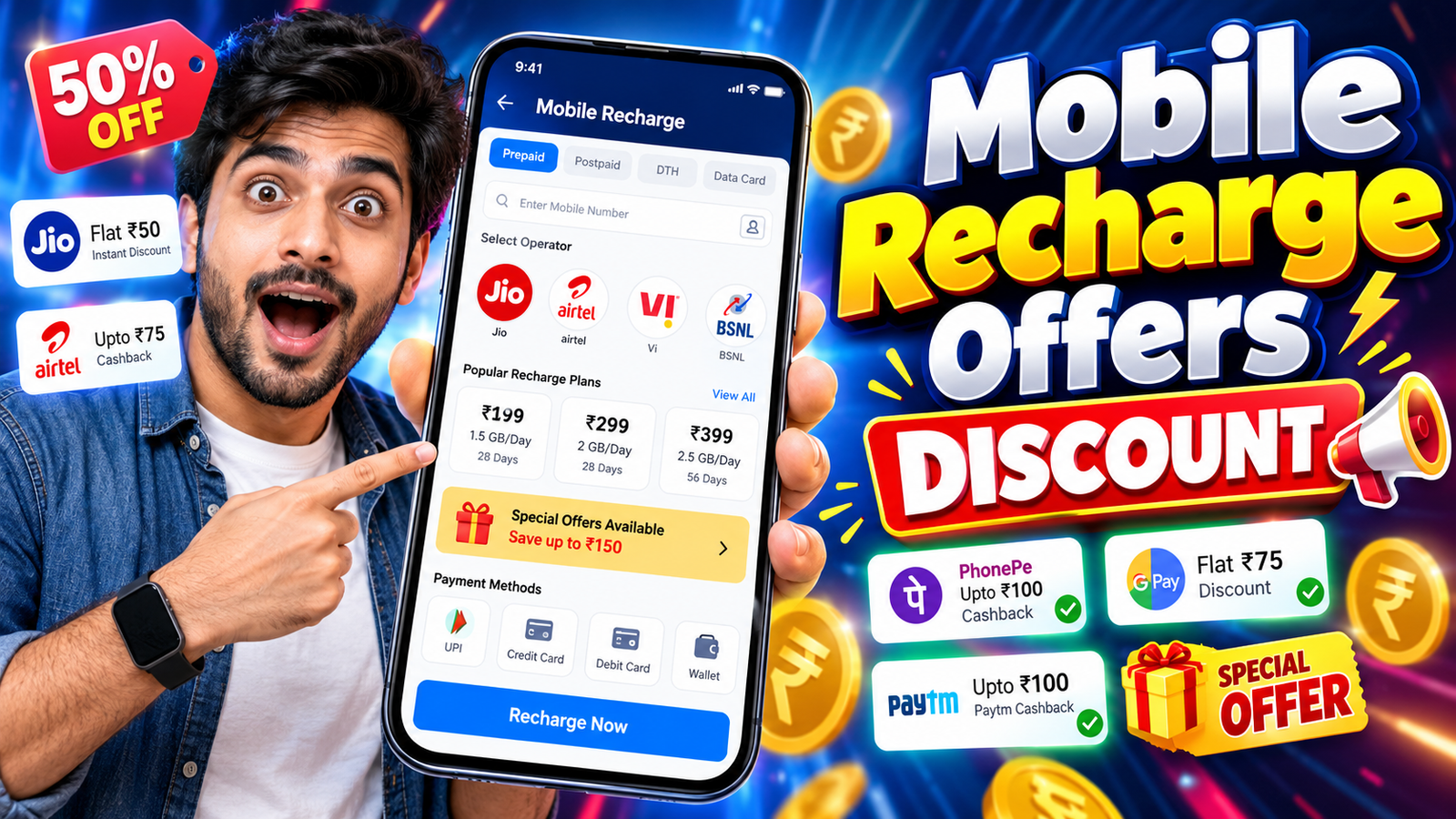
Most people see Flat ₹50 Off or Up to 10% Cashback on Recharge banners all the time, but still end up paying full price. The problem usually isn’t a lack of offers it’s knowing where to tap, what to read, and which terms quietly cancel your discount.
This guide walks through a practical, app first workflow: how to spot real recharge discounts in popular payment and operator apps, use them correctly, and avoid the usual traps like expired coupon codes or tiny cashback that never reaches your wallet.
Where Mobile Recharge Discounts Usually Hide
Recharge offers are not usually front and center on the home screen. In most apps they sit in one of these places:
- Offers / Rewards tab: Common in wallets and UPI apps. You’ll see Recharge & Bill Offers, Rewards, or Deals.
- Coupon section during payment: A small Apply promo code or View offers link on the payment screen.
- Operator specific banners: In official telecom apps you may see plans tagged as Extra data or Special offer instead of a direct rupee discount.
- Bank / card offers: Fine print like 10% off with XYZ Bank Credit Card works only with that payment method.
If you only use the default recharge screen and immediately tap Pay, you’ll miss most of these.
Quick Workflow: Checking for a Discount Before Every Recharge
Here is a simple, repeatable routine you can follow in almost any app:
- Open your preferred recharge app
This could be your operator’s official app (e.g., Jio, Airtel, Vi), a wallet/UPI app, or an e commerce app that supports recharge. - Select mobile recharge & enter your number
The app usually detects your operator automatically. If not, select operator and circle manually. - Pick the plan first, don’t rush to pay
Add the plan to the cart or go to the payment screen, but pause there. - Look for Offers, Promo code, or View all offers
This is easy to miss. In many apps it’s a small text link near the final payable amount. - Check app specific offers
Tap it. You may see:- App only coupons (e.g., FLAT30 on prepaid above ₹249)
- Bank or card offers (e.g., 5% off with a particular bank)
- Wallet specific rewards (scratch cards, coins, loyalty points)
- Apply the most relevant offer
Choose the one that:- Matches your amount and operator
- Uses a payment method you actually have
- Expires on or after today
- Confirm the effective price before you pay
Check whether the final payable amount changed now, or if it’s a cashback later type offer.
Once you follow this routine a few times, it becomes a 30 second habit that can easily save a bit of money every month.
Types of Recharge Discounts (And How They Really Work)
| Offer Type | What It Looks Like | What You Actually Get | Common Catch |
|---|---|---|---|
| Instant discount | Flat ₹30 off on ₹249+ recharge | Pay ₹219 instead of ₹249 | Limited to 1 2 times per user |
| Cashback | Get 10% cashback up to ₹40 | Pay full amount; some money is added later to wallet/rewards | Cashback may be locked or have expiry |
| Bank / card offer | 5% off with XYZ Bank card | Discount or cashback via bank | Valid only on specific cards and days |
| Operator special plan | Extra 2GB data at same price | More benefits, same recharge amount | Sometimes app exclusive; not shown on third party apps |
| New user / first recharge | Flat ₹50 off on 1st mobile recharge | Good saving once per account | Doesn’t work on old accounts or repeated attempts |
Understanding this difference matters a lot. Many users think they got a discount, but all they actually received is a small, time limited cashback coupon that sits unused.
Using Recharge Offers in Different App Categories
4.1 Telecom Operator Apps (Jio, Airtel, Vi, etc.)
Operator apps often prioritize better packs over direct rupee discounts.
Typical perks you’ll see:
- App exclusive plans with extra data or validity
- Bundle packs (OTT subscription + data + voice)
- Loyalty rewards (points, coupons for partners)
Tip: When you see a plan name like Special Recharge or App Only Offer, compare its benefits with the standard plan at the same price. Sometimes the discount is extra data rather than lower cost.
4.2 Wallet and UPI Apps
Wallet/UPI apps are where you’ll see the most visible promo code offers. These apps compete with each other using scratch cards, coins, and time limited campaigns.
Things to check:
- Rewards or Offers section for currently active campaigns
- Minimum order value for each coupon
- Operator exclusions (some offers skip certain telecom operators)
- Frequency cap, like valid once per month
Reality check: Many up to ₹100 offers actually give small random rewards most of the time. Don’t increase your recharge amount just to chase an uncertain reward.
4.3 E‑commerce / Super Apps
Some shopping or super apps add recharge as a small extra service. Their offers may be weaker, but occasionally there are festival promotions or bank tie ups.
If you already use such an app regularly, it’s worth opening the recharge section once to compare prices and any running campaigns. If not, don’t install yet another app only for a tiny one time benefit.
Common Mistakes That Kill Your Recharge Discount
These are the typical reasons users don’t get the saving they expected:
- Applying the coupon after paying: If you forget to tap Apply before confirming payment, support rarely adjusts it manually.
- Ignoring small print like Only for prepaid: Many offers exclude postpaid, DTH, or certain operators.
- Changing payment method at the last second: Bank/card offers are invalid if you switch from card to UPI or wallet at checkout.
- Multiple accounts on the same device: New user offers can fail if your device or payment details were used on another account earlier.
- Not checking cashback credit timeline: Some cashback is added instantly; others may take hours or even days. Users assume it failed, but it was just delayed.
To avoid frustration, always read the short terms shown just below the offer title, especially the validity date, minimum amount, and eligible payment modes.
Safety and Privacy: Avoid Scam Recharge Offer Links
The moment money is involved, fake offer links and apps appear. Some common risk patterns:
- Unknown websites asking for card/UPI PIN directly: Legit apps never ask for your UPI PIN outside the official UPI flow.
- Forwarded links in messaging apps promising huge flat discounts: Recharge ₹399 at just ₹99 is usually too good to be true.
- Third party APKs claiming 100% cashback on all recharge: These can steal credentials or misuse permissions.
- Fake customer care numbers: Posing as operators or wallets, asking for OTPs to verify offers.
Safer approach:
- Use only official apps from your operator or well known, verified payment providers.
- Install apps only from official stores (Google Play, App Store) or the verified operator website.
- Never share OTP or UPI PIN with anyone, even if they claim to activate an offer
Simple Strategy to Maximize Savings Over Time
You don’t need to chase every offer. A sustainable, low effort approach looks like this:
- Stick to 1 2 trusted apps for most recharges so you’re familiar with their offer patterns.
- Check offers once per recharge, not every day. Focus on instant discount or guaranteed cashback, not lucky draw style rewards.
- Align your payment method with active bank offers if you already own that card or account.
- Prefer operator special packs when they give more data/validity without raising your monthly spend.
Most users can shave a small but steady amount off their yearly mobile bill by just forming this habit and ignoring the noise.
FAQ: Mobile Recharge Offers and Discounts
Q1. Why don’t I see the same offer my friend got?
Offers can be targeted by user history, device, city, payment method, or even time of day. Apps run A/B tests, so not everyone gets the same banner at the same time.
Q2. Are wallet cashback offers as good as instant discounts?
Instant discounts are usually better because you pay less now. Cashback is useful only if it’s easy to use later and doesn’t expire quickly.
Q3. Is it safe to save my card in a recharge app for offers?
Reputable apps use secure tokenization, but it still adds risk if your phone is lost or unlocked. Use screen lock, avoid sharing your phone,