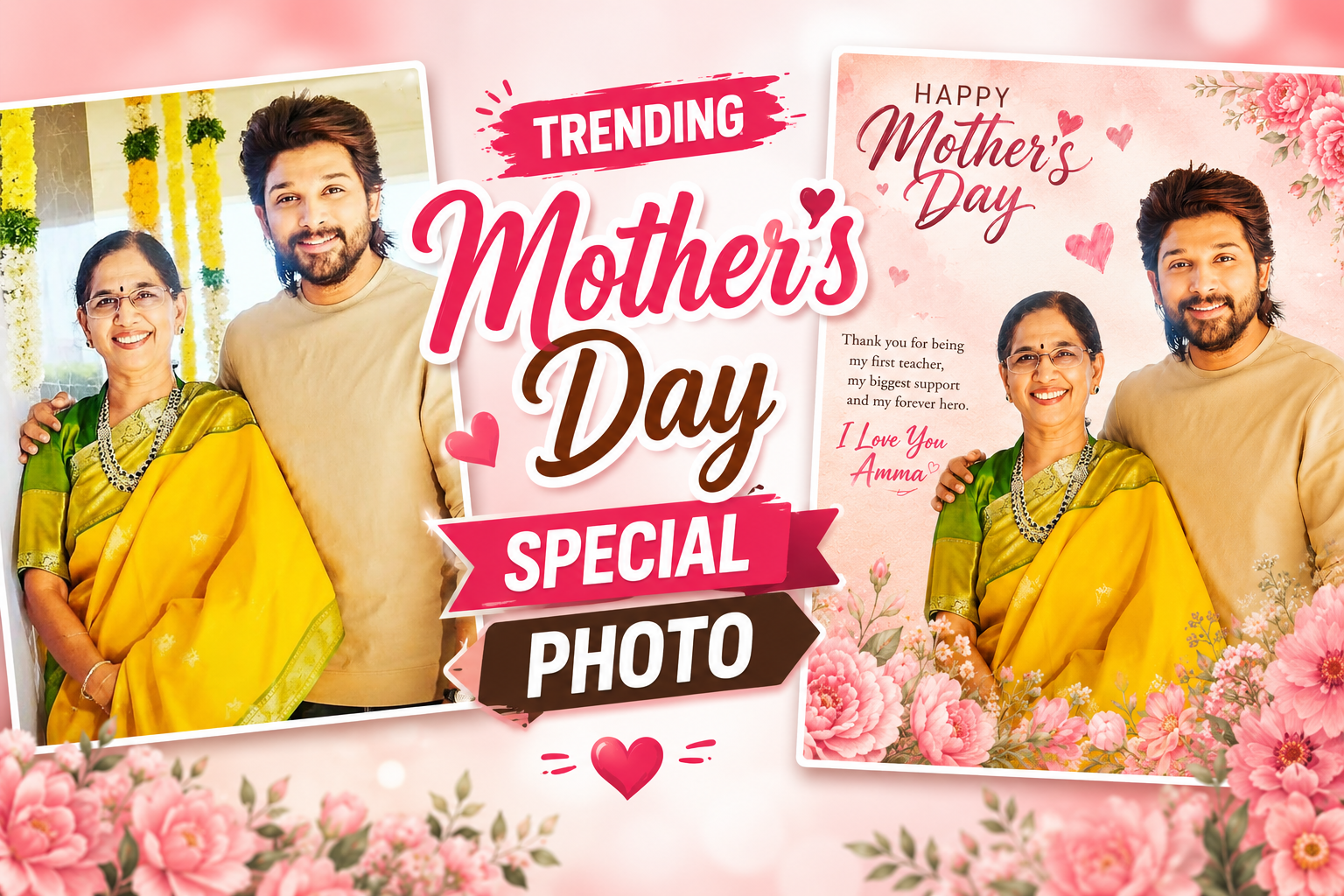
A Mother’s Day image does not need to follow a trend to be valuable. Choose the audience and format first—a private message, printed frame, family group, public post, story, or Reel cover—and involve the person shown in decisions about the photo, wording, edit, and sharing.
Use a photograph you are allowed to edit, keep the original, and check whether other family members, children, documents, house details, location clues, or private messages appear in the frame. Obtain consent before uploading another person’s portrait to an online editor or AI service.
For a clean result, set the required dimensions, correct crop and exposure, use readable text, keep decoration away from faces, and export once from the highest-quality working file. A print needs adequate pixel dimensions and proofing; a social image needs a safe crop and compressed preview.
AI can suggest layouts or create optional decorative elements, but it may alter identity, age, clothing, hands, jewellery, culture, and setting. Do not present a synthetic family memory as an unchanged real photograph, and respect anyone who prefers not to appear in a public tribute.
Related Resource
The Download Link button opens a Google Docs resource. Review its owner, sharing status, prompts, and asset instructions before use. Do not place private family information, unpublished photos, addresses, or account data into a shared document or AI prompt.

1. Choose private, print, family, or public use
Before opening any app, decide where this photo will live. A design for a phone wallpaper needs a different layout compared to a square Instagram post or a wide YouTube community image. Starting with the wrong size is one of the most common mistakes and usually leads to blurry crops or cut off text.
Ask yourself two simple questions. Do you want a single image or a collage or a carousel. And will it be seen mainly on mobile or printed. If you plan to print, keep more space around the subject and avoid very thin fonts. If it is mainly for social media, you can use bolder colors and slightly stronger filters because the image will be small.
2. Prefer an editor with the minimum required access
There are many editing apps that claim to create instant trending designs. Some push too many ads or ask for risky permissions. Stick to known options from official app stores. Look for apps that support layers, text, and basic AI or filters. Popular choices as of now include Canva, Picsart, Snapseed for color correction, and CapCut if you later want to extend the design into a reel cover.

Always check recent reviews and be careful with apps that demand unnecessary contacts or call access. For browser tools, use official sites and avoid downloading unknown editors from pop up ads. Trending Mothers Day special photo making does not require cracked software or suspicious plugins. A clean, reliable app is enough.
3. Use a consented, high-quality source image
The base picture is still more important than any trending effect. If possible, take a fresh photo of your mom or both of you together. Natural window light works well. Ask her to stand facing the light source, not with the window behind her. This reduces harsh shadows and gives a soft feel that fits the occasion.
If you are using an older photo, choose one that is sharp and not overly compressed from WhatsApp forwards. Avoid images where the background is too busy. A simple wall or outdoor scene is easier to style with text and graphics. You can gently use the portrait mode blur tool in most apps to reduce distractions behind your subject.
4. Crop, correct, design, proof, and export
Step 1: make restrained tonal corrections
Open your chosen app and adjust exposure, contrast, and warmth first. For Mother’s Day, slightly warmer tones often look better than very cool blue shades. Do not overdo saturation, as it quickly makes skin tones look unnatural. Many apps have a portrait or food preset that you can use as a starting point, then fine tune manually.
Step 2: separate the subject without erasing identity
Trending designs currently use soft gradients, pastel shades, or light textured paper backgrounds. You can either blur the original background more or cut out the subject and place her on a new backdrop. Use simple colors like peach, lavender, or soft green, not all at once. A thin white or gold edge frame adds a clean finish without looking too heavy.
Step 3: review every synthetic change
Many apps now offer AI filters that convert a photo into a painting or a cartoon. For Mother’s Day photos, one or two subtle AI touches are enough. You might use an AI background remover, then keep the face realistic. Avoid aggressive face reshaping or beauty filters which can make your mom look like a different person and feel disrespectful if overused.
Step 4: approve the wording with the person shown
Keep the message short, no more than one or two lines on the photo itself. For example, Best Mom Ever or Thank you for every small thing works better than full paragraphs. Use a clean font for the main words and a script font only for small accents. Check the readability on your actual phone screen before saving. White or cream text with a slight shadow is usually safe.
5. Adaptable private, print, and social layouts
Example 1: WhatsApp status style design
Imagine a vertical photo of your mom in the kitchen, slightly dark. You brighten it, warm the colors, and add a gentle blur to the background. On the top, you place a simple line like My first teacher and forever friend in a clear font. At the bottom, add a tiny heart icon and the date. This looks clean on status, loads quickly, and still feels personal.
Example 2: Instagram square collage
You select three old photos from different years and place them in a 3 grid layout. Each photo gets a tiny sticker that shows the year, like 2010, 2016, 2024. In the center empty space, you write To the woman who was there in every phase. Use a soft beige background and avoid bright neon elements. Now you have a trending collage that tells a story across time.
6. Example: prepare a proofed framed gift
Consider a common situation. You only have a recent selfie with your mom taken indoors. The lighting is mixed and there is clutter in the background. In your editing app, you first crop out unused top space to focus on your faces. Then you use an AI background remover and place both of you on a light cream backdrop with a thin rose gold frame.
Next, you gently increase brightness and reduce shadows to fix the indoor lighting. You add the text My safe place since day one at the bottom in a serif font. Finally, you export at high resolution and upload it to a print service that supports photo frames. The same design works online and as a physical gift, all built from a casual selfie.
7. Export for print and platform crops separately
When you finish your design, always save one high quality copy to your device in JPG or PNG format. Many apps reduce file size automatically when you share directly to social media. This is fine for quick posts but not for printing. Look for an export or save to device option that allows you to control resolution and quality percentage. Pick the highest setting available if storage is not an issue.
Before posting, test how the image looks in the specific platform preview. Sometimes Instagram crops unexpected parts when you share a vertical image as a square. Adjust the crop if any text is cut off. For WhatsApp, remember that status compresses images, so avoid tiny fonts or very thin lines around the edge.
8. Consent, privacy, AI, spelling, crop, and print mistakes
There are a few traps that quickly ruin a good idea. The first is using too many fonts or stickers because the app shows endless options. Limit yourself to two fonts and two or three graphic elements. The second mistake is copying a viral style exactly, which can make your post feel generic rather than loving or unique.
Another frequent issue is posting last minute without checking spelling, especially if you write in a language that uses complex characters or mixed scripts. Zoom in to confirm every letter is clear and correct. Finally, respect privacy. Avoid posting very personal or emotional photos if your mom is not comfortable being online. You can still create the design and share it only inside the family group or as a printed card.
A respectful image outlasts a trend
Trending Mothers Day special photo making is not about the fanciest app. It is about starting with a thoughtful idea, using a safe and simple tool, and keeping the design honest to your relationship. If you focus first on the base photo, then on gentle edits, and only later on trends, your result will look current without feeling forced.
Your next step is to pick one destination, like WhatsApp status or Instagram, choose a single app you are comfortable with, and recreate just one of the example workflows from this guide. Once you see how quickly a normal photo turns into a modern Mother’s Day post, you can experiment with more creative layouts and AI tools for future occasions.
Common questions about Mother’s Day photo design
Which app is best for Mother’s Day photo editing?
Pick an app that you already understand, such as Canva, Picsart, or Snapseed. The best choice is the one that lets you control text and layers without confusing menus, not just the trendiest name.
How early should I start making my Mother’s Day photo?
Starting two or three days before is usually enough. This gives you time to choose photos calmly, try one or two layouts, and fix any spelling or cropping mistakes before posting.
Can I use AI generated images of my mom?
You can, but be careful. Mild AI effects or backgrounds are fine. Completely changing her face or body can feel disrespectful and may not match how she sees herself.
What size should I use for Instagram?
For a single image post, 1080 by 1350 pixels vertical works well. For a square collage, 1080 by 1080 pixels is safe. Most editing apps include these presets in their canvas options.
Is it safe to upload my mom’s photos to online editors?
Use tools from known companies, read their basic privacy policy, and avoid uploading highly sensitive images. If privacy is a big concern, stick to offline mobile apps that process photos on your device.
Thank you for reading. If you found this guide helpful, keep visiting our blog for more practical tech tips, new apps, AI tools, and the latest digital trends that you can actually use in daily life.